
Bazaart AI Photo Editor Design
Bazaart Ltd.Art & Design
4.61.76K Reviews
- Version
- 4.5.2
- Installs
- 5.00M
- Age Rating
- Everyone
Screenshots
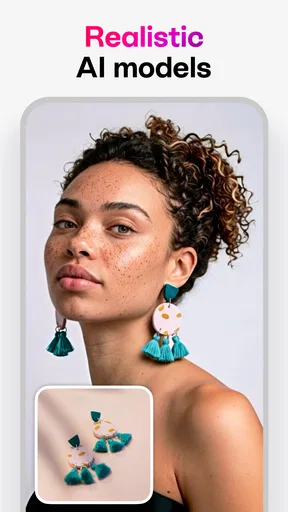
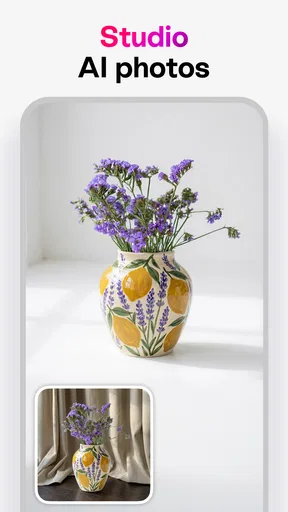
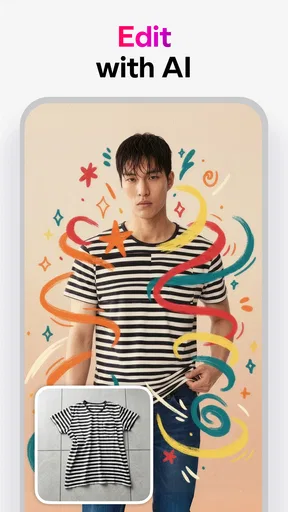
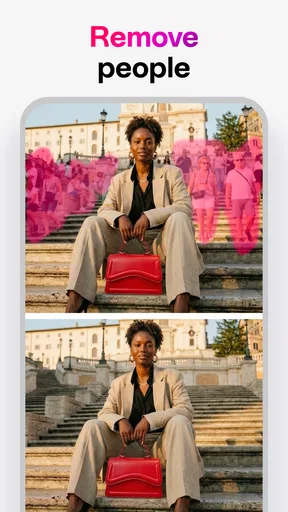
Our Review of Bazaart AI Photo Editor Design
 Analysis by Appyee
I reach for Bazaart AI Photo Editor Design when I want to turn a photo into a finished-looking visual without opening a full desktop design suite. It sits between a quick photo filter app and a more involved graphics editor: useful for cutouts, layered compositions, and social posts, but still approachable if you only edit now and then. The key question is whether you want to build a design around your images, rather than simply adjust how the images look.
Choose it for making compositions, not just corrections
Before installing an editor, I’d decide what kind of work I expect to do most. If the goal is correcting exposure, cropping vacation photos, or applying one consistent preset, a conventional photo-editing app may be quicker and more focused. Bazaart makes more sense when the image is only one part of the result: you want to remove its background, place it over another scene, add type or stickers, and arrange everything into a deliberate layout.
That distinction matters in everyday use. A clean product cutout for a small online listing, a birthday graphic assembled from a few pictures, or a playful profile image all benefit from having editing and design tools in the same workspace. I wouldn’t choose it as my only tool for detailed retouching or a carefully controlled photographic workflow, but I would consider it when the finished image needs a bit of visual storytelling.
Where the combined workflow earns its place
The strongest practical advantage is the handoff between editing a subject and designing around it. Removing a background is often the tedious first step in a collage; being able to continue with layers, text, shapes, and stickers keeps that task from becoming a sequence of exports between separate apps. In my experience, that convenience is more valuable than having a huge number of effects that I might only try once.
A useful way to work is to start with the photo that matters most, make the cutout, and then build the canvas around its silhouette. I’d add the background or supporting elements before fine-tuning text placement, because the contrast and open space in the final composition affect whether lettering remains readable. It’s a small order-of-operations choice, but it can save a round of moving everything later.
Layers also reward a little restraint. I’d keep a subject, a background, and decorative details as separate elements while experimenting, rather than flattening the composition too early. That gives me room to adjust one part without rebuilding the whole image. The trade-off is that more freedom can invite overworking a design; if a simple post is already clear, another sticker or filter may make it less effective rather than more polished.
What to expect from the app and its cost
Developed by Bazaart Ltd., this is a free Art & Design app with a 4.7 average from around 68,000 ratings. It has been installed over 5 million times, is rated for Everyone, and its current version is 4.0.0. Those figures suggest it has found a broad audience, though I’d treat popularity as context rather than proof that its workflow will suit every editor.
You can start without paying, while in-app purchases range from $1.49 to $71.99 per item. I’d explore the free experience with a real project before spending anything: try a background removal, add a couple of layers, and check whether the available tools let you finish the kind of design you actually make. That is a better test than browsing features in the abstract, especially if you only need an editor for occasional posts.
The app was released on August 31, 2020, and the listed minimum operating-system requirement is 8.0. Before building a regular editing routine around it, I’d check that it runs comfortably on the device I plan to use. Editing is more enjoyable when I can inspect a cutout and move elements without fighting a sluggish or cramped workspace.
A realistic project, and the small choices that help
Imagine I take a quick photo of a handmade item for a weekend sale post. The room behind it is distracting, so I remove the background, place the item against a cleaner visual setting, and add a short heading and a small decorative accent. In one app, I can move the subject, alter the balance of the layout, and test whether the wording competes with the object. That is a more useful everyday test than making an elaborate collage just to see how many tools are available.
For a result that looks intentional, I’d begin with a photo where the subject is distinct from its surroundings. Busy edges, fine strands of hair, transparent objects, and similar details are harder for any automatic cutout workflow to handle cleanly. I would zoom in and inspect the outline before adding decoration; a rough edge is easier to notice once it sits against a plain or contrasting background. If the cutout needs painstaking masking, a dedicated editor with more granular selection controls may be the better choice.
I’d also keep the destination in mind from the start. A square social post, a portrait story, and a printable card have different proportions, so a layout that looks balanced in one shape may feel cramped in another. Choosing the intended format early helps me leave breathing room around the subject and avoid shrinking text at the last minute. Before sharing, I’d inspect the exported image at the size people are likely to see it, rather than judging everything only while zoomed in on the editing canvas.
How it compares with other kinds of editors
Against a basic filter-first photo editor, Bazaart offers a more design-oriented path: I can combine a cutout with graphic elements instead of stopping after color adjustments. Against a full desktop graphics program, it is the more approachable option for quick, self-contained projects, but I wouldn’t expect a phone-friendly workflow to replace every precise control or production step a specialist tool can offer. These are different trade-offs, not a simple ranking.
Template-led design apps can be a better fit if I mainly want to choose a ready-made layout, swap in a photo, and publish with minimal arranging. A dedicated retouching app may suit someone whose priority is skin, lighting, or detailed tonal corrections. Bazaart is most compelling when I want both kinds of activity to meet in one image: a subject cut from its background, then arranged with text and other visual pieces. If I rarely make composites, the extra creative flexibility may not justify learning another interface.
Who will enjoy it—and who may not
I’d recommend trying it if you make occasional social graphics, invitations, collages, profile images, or simple promotional visuals and like having room to adjust individual pieces. Beginners can start with a template and gradually experiment with layers; more experienced hobbyists may appreciate being able to combine cutouts and typography without moving between several tools. It is also a reasonable choice for someone who enjoys visual play and doesn’t mind testing a few arrangements before settling on one.
I’d steer away if I needed highly detailed photo restoration, a tightly standardized professional production process, or a very fast one-tap correction and nothing more. It may also feel like too much app for someone who only crops and applies a filter. The honest decision is whether the design features will save me steps often enough to balance the extra choices they bring.
If I decide to switch from another editor, I wouldn’t move every project at once. I’d recreate one familiar post in Bazaart and compare the time, the ease of adjusting individual elements, and the final result. That small trial reveals whether its layer-based approach fits my habits. It also helps me notice which parts of my current workflow I would still want to do elsewhere, such as detailed retouching or a task that depends on a specialist tool.
Getting Started with Bazaart
First things first, let’s talk about the interface. When you open Bazaart, you’re greeted with a clean and intuitive layout. It’s not cluttered with unnecessary tools, which is a relief for someone like me who can get overwhelmed by too many options. The navigation is pretty straightforward, allowing you to dive into editing without a steep learning curve.
Features Galore
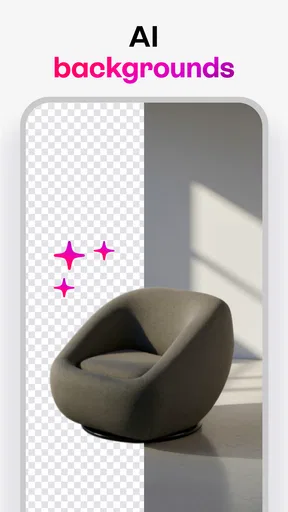
Now, onto the fun stuff: the features. Bazaart is packed with tools that cater to both beginners and more seasoned photo editors. One of the standout features is its AI capabilities. The app can automatically remove backgrounds from images, which is a lifesaver for creating memes, collages, or just sprucing up your profile pic. The precision is impressive, and I found it to be a lot more accurate than some desktop software I’ve used.
Aside from AI magic, Bazaart offers a plethora of filters and effects. Whether you want a vintage look or something more modern, this app has you covered. I spent more time than I’d like to admit playing around with these, trying to find the perfect aesthetic for my Instagram feed.
Design Tools and Templates
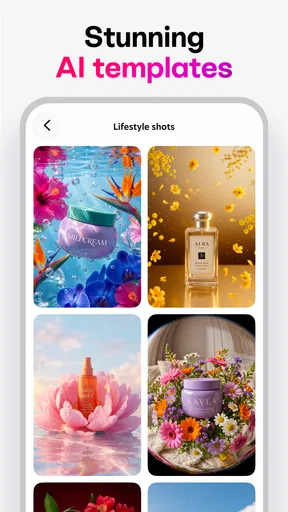
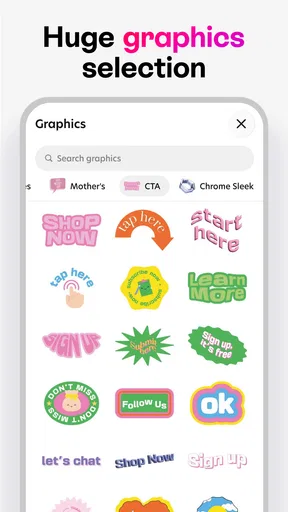
For those who love creating, Bazaart offers design tools that rival some of the best in the business. You can add text, stickers, and shapes to your photos, and the app provides a range of fonts and colors to choose from. The templates are particularly handy if you’re in a rush but still want your post to look polished. From birthday cards to social media posts, there’s something for every occasion.
One feature worth mentioning is the layers tool. It’s reminiscent of what you’d find in professional design software, allowing you to stack different elements and adjust them individually. This means you can tweak your creations to perfection, which is a dream come true for the perfectionists out there.
Sharing Your Creations
Once you’ve created your masterpiece, Bazaart makes it easy to share your work. You can export your images in various formats and resolutions, ensuring your pictures look sharp on any platform. The app also allows direct sharing to social media, saving you the hassle of downloading and uploading your creations manually.
The Price Tag
Of course, no app review would be complete without discussing the cost. Bazaart is free to download and offers basic features at no cost. However, if you want to unlock its full potential, there’s a subscription model. While some might balk at paying for an app, I found the pricing reasonable given the extensive capabilities it offers. Plus, there’s a free trial, so you can test the waters before fully committing.
Final Thoughts
So, is Bazaart AI Photo Editor Design worth it? For me, it’s a resounding yes. The app is user-friendly, packed with features, and genuinely makes editing fun. Whether you’re a casual user looking to spice up your photos or a budding designer wanting to experiment, Bazaart has something to offer. It might not replace professional software entirely, but it’s a fantastic tool for quick edits and creative projects.
In a world where visuals speak louder than words, having a reliable photo editor like Bazaart in your pocket is invaluable. Give it a shot and see how it transforms your photos; who knows, you might just unleash your inner artist!
Verdict
Strengths of Bazaart AI Photo Editor Design
- Intuitive and user-friendly interface.
- Wide range of editing tools available.
- Seamless integration with social media.
- High-quality export options.
- Frequent updates with new features.
Limitations of Bazaart AI Photo Editor Design
- Some features require a subscription.
- Can be resource-heavy on older devices.
- Occasional ads in the free version.
- Limited free cloud storage.
- May require internet for some features.
Similar Picks in This Category
View All
Canva: AI Photo & Video Editor
Canva4.8

PENUP – Drawing-sharing SNS
Samsung Electronics Co., Ltd.4.5

Crafto
Kutumb App4.6

Sketchbook
Sketchbook4.1

ibis Paint X
ibis inc.4.5

Adobe Express: AI Photo, Video
Adobe4.6
Frequently Asked Questions
What is Bazaart AI Photo Editor Design?
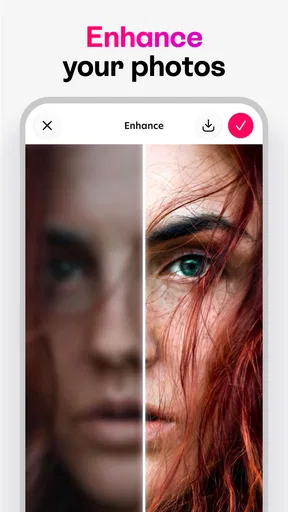
Bazaart AI Photo Editor Design is an advanced photo editing app that utilizes artificial intelligence to enhance and manipulate images seamlessly. It offers a wide range of features, including background removal, collage creation, and artistic filters, making it a versatile tool for both casual users and professional designers.
Is Bazaart available for both Android and iOS devices?
Yes, Bazaart AI Photo Editor Design is available for download on both Android and iOS platforms. Users can easily find it on the Google Play Store for Android devices and the Apple App Store for iOS devices, ensuring a wide accessibility for all smartphone users.
Does Bazaart offer free features or is it a paid app?
Bazaart offers a freemium model, providing a selection of editing tools and features for free. However, for access to premium features like advanced filters, unlimited layers, and high-resolution exports, users need to subscribe to the premium version available through in-app purchases.
How user-friendly is the Bazaart app for beginners?
Bazaart is designed with a user-friendly interface, making it accessible for beginners and experienced users alike. The intuitive design includes easy-to-follow tutorials and guides, helping new users quickly understand and utilize the app's powerful editing tools and features without a steep learning curve.
What are the main features that set Bazaart apart from other photo editing apps?
Bazaart stands out due to its AI-powered tools, allowing for precise background removal and image manipulation. Additionally, its artistic filters, collage creation, and layer-based editing provide users with creative flexibility. The app's seamless integration with social media platforms also allows for easy sharing of edited images.
